How to Print a Logo on Any Bag: Paper, Plastic, Burlap, Canvas, and More
 Posted By Custom Ink Staff —
The Custom Ink Staff is a team of design enthusiasts and promo product experts dedicated to bringing your ideas to life. From screen printing secrets to the latest trends in custom gear, we draw on decades of collective experience to help you create something unforgettable.
SHARE:


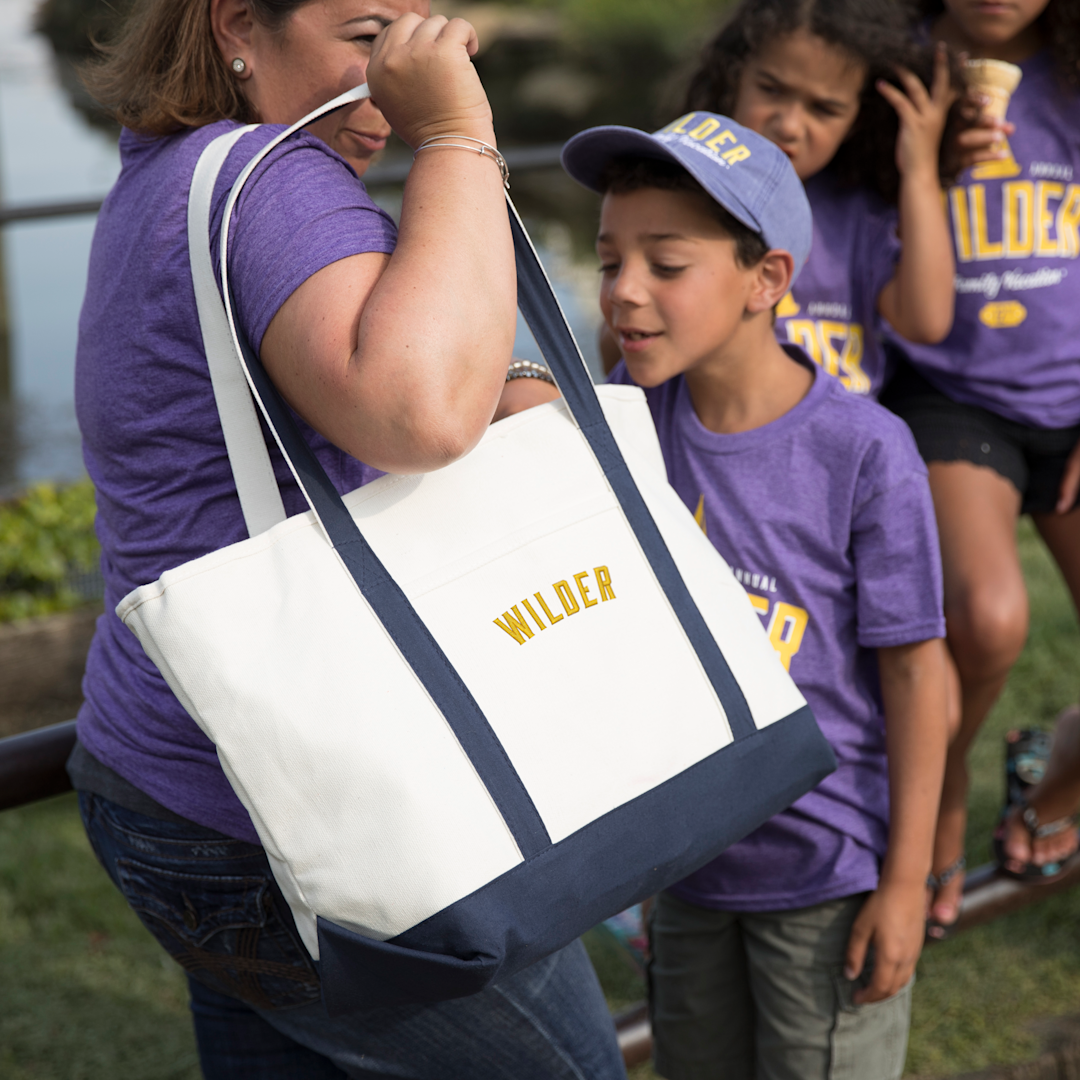
The right way to print a logo on a bag depends almost entirely on what the bag is made of.
A method that looks incredible on a cotton canvas tote can crack and peel on a plastic bag. The technique used to brand paper bags at scale requires industrial equipment most print shops don’t own. Burlap presents its own challenges that catch people off guard.
Get the method wrong and you lose the order: faded ink, peeling transfers, logos that bleed into the weave.
This guide breaks down how printing works for every major bag material, what options actually exist for paper and plastic (including what we do and don’t offer), and how to design and order custom bags online.
In This Article
- Bag Printing Methods: How They Compare
- How to Print a Logo on a Paper Bag
- How to Print a Logo on a Plastic Bag
- How to Print a Logo on a Burlap Bag
- How to Print a Logo on a Canvas Tote Bag
- How to Print a Logo on a Gift Bag
- How to Design Your Own Bag Online
- Frequently Asked Questions
Key Takeaways
- 70% of consumers equate the quality of a branded item with the reputation of the company that gave it. That is the finding of the PPAI 2023 Consumer Study. How cleanly your logo prints directly affects how people perceive your brand.
- Screen printing is the best method for cotton canvas and non-woven totes at scale. It is bold, durable, and cost-effective at 24+ pieces. Embroidery is the right choice for structured polyester bags (backpacks, duffels) where longevity matters most.
- Paper and plastic bags are printed industrially using flexography, a high-volume plate-based process. For small to mid-size runs, screen printing and heat transfer are the practical alternatives.
Bag Printing Methods: How They Compare
Five methods cover the vast majority of custom bag printing. The right one depends on the bag material, order quantity, number of colors in the design, and how long the print needs to last.
| Method | Best Bag Types | Colors | Min. Qty | Full Color/Photo? | Durability | Best For |
|---|---|---|---|---|---|---|
| Flexography | Paper, polyethylene (PE), polypropylene (PP) | 1–6 spot | 5,000+ | Limited | Excellent | Industrial-scale packaging |
| Screen Printing | Cotton canvas, non-woven PP, poly canvas, drawstring | 1–6 spot | 24–100 | No (simulated only) | 50+ washes | Bulk promotional bags |
| Heat Transfer / DTF | Cotton, poly, non-woven PP, burlap | Unlimited | 1 | Yes | 30–50+ washes | Small runs, complex art, photos |
| Embroidery | 600D polyester (backpacks, duffels), heavy canvas | 8–15 thread colors | 1 | No | Unlimited | Premium branded bags, corporate gifts |
| DTG (Direct to Garment) | 100% cotton canvas totes only | Unlimited | 1 | Yes | 20–40 washes | Single items, detailed art, small runs |
How to Print a Logo on a Paper Bag
At industrial scale, paper bags are printed using flexography, a relief printing process where flexible photopolymer plates transfer ink onto paper at high speed during bag manufacturing. Flexo handles kraft, white paper, and coated stock well, typically at 1–3 spot colors, and is economical at 5,000+ units.
For smaller runs, screen printing and digital printing are the practical alternatives, though each requires printing the bags individually rather than inline with manufacturing.
A few things to know about printing on kraft paper specifically: brown paper mutes light-colored inks. Dark, solid colors read best. The porous surface causes ink spread without careful control, so intricate fine details and thin lines are harder to reproduce cleanly. White ink is difficult to achieve on brown kraft with most print methods, which is why custom colors like navy, forest green, or black tend to dominate paper bag branding.
We offer a paper bags for promotional and retail use, though our specialty is fabric bags. If you need luxury paper gift bags with foil stamping, embossing, or spot UV coating, a specialty packaging vendor will serve that need better than we will. If you need branded paper bags for events, retail, or giveaways with a clean screen-printed logo, we can help with that.
How to Print a Logo on a Plastic Bag
Commercial plastic bags (polyethylene/PE or polypropylene/PP) are printed via flexography in the same inline process as paper, with the film unrolled, printed, cut, and sealed in a single pass. This is how the branded plastic bags at grocery stores, retail chains, and pharmacies are made. Practical minimum quantities for this process run 5,000 units and up.
For promotional plastic bags at smaller quantities, screen printing and heat transfer are both viable, though the non-porous surface of PE and PP requires adhesion promoters to prevent ink from flaking. Heat from the press must stay below ~275°F to avoid warping the plastic.
How to Print a Logo on a Burlap Bag
Burlap and jute are the most technically challenging bag materials to print on well. The coarse, open-weave surface means ink doesn’t sit on a flat plane. It settles into the grooves between fibers, causing logos to look textured or broken around the edges. This is actually fine for bold, simple graphics, but it makes fine detail, thin lines, and small text nearly illegible.
Screen printing is the most common method for burlap bags: one to four bold colors, clean outlines, good contrast. Thicker ink deposits compensate for the rough surface.
Heat transfer and DTF also work on burlap: design printed on film, then pressed at 320°F for 15–20 seconds at firm pressure. This delivers full-color results but the transfer film sits visibly on top of the rough surface texture rather than soaking in. Neither method is wrong. They just produce different looks.
Screen printing appears more “natural” and artisanal on burlap; heat transfer produces sharper, more photorealistic color.
What doesn’t work on burlap: sublimation (requires polyester fiber), DTG (requires 100% cotton or high-cotton blends with smooth surfaces), and fine gradient effects via screen printing.
We carry jute-style totes within our tote bag collection, available with screen printing. If you are sourcing burlap bags specifically, check the product page for the decoration method listed, since not all styles support all methods.
How to Print a Logo on a Canvas Tote Bag
Cotton canvas is the best bag material for logo printing, full stop. The natural fiber absorbs ink deeply, producing vivid, permanent color. The relatively smooth, stable surface holds fine detail cleanly. It’s compatible with every major print method: screen printing, DTF, embroidery, and DTG.
The PPAI “5-Second Impact” study found that over 60% of consumers reject branded items immediately due to poor material or construction. Cotton canvas eliminates that risk on both fronts. According to the ASI 2023 Ad Impressions Study, bags generate 1,940 impressions over their lifetime, but only a well-printed bag stays in active use long enough to generate them.
For most business and promotional use, screen printing on cotton canvas is the optimal choice: bold and opaque on natural or colored fabric, up to 6 spot colors per side, highly durable (50+ washes), and cost-effective at 24+ pieces. Water-based inks on cotton give a softer hand feel than plastisol and soak into the fiber rather than sitting on top, so the print looks and feels like part of the bag.
For logos with complex gradients, full-color photography, or highly detailed artwork, heat transfer (DTF) delivers results that screen printing cannot. For maximum perceived value and unlimited wash life, embroidery turns a canvas tote from a giveaway into a gift, though it requires clean, bold artwork with a minimum letter height of 3/16 inch and no gradient fills.

“The quality and printing is top notch. They all loved the bags and I had fun designing them! The Custom Ink site was very user friendly. I will use your services again!”
Featured Products from This Story

Medium Midweight 100% Cotton Canvas Tote Bag: Screen Print
- 100% cotton canvas, midweight construction; open-top with flat base and reinforced seams; ideal surface for vivid, long-lasting screen printing up to 6 colors
- Economy per-unit cost makes it the workhorse choice for event giveaways, conference bags, and nonprofit promotions at 24+ pieces
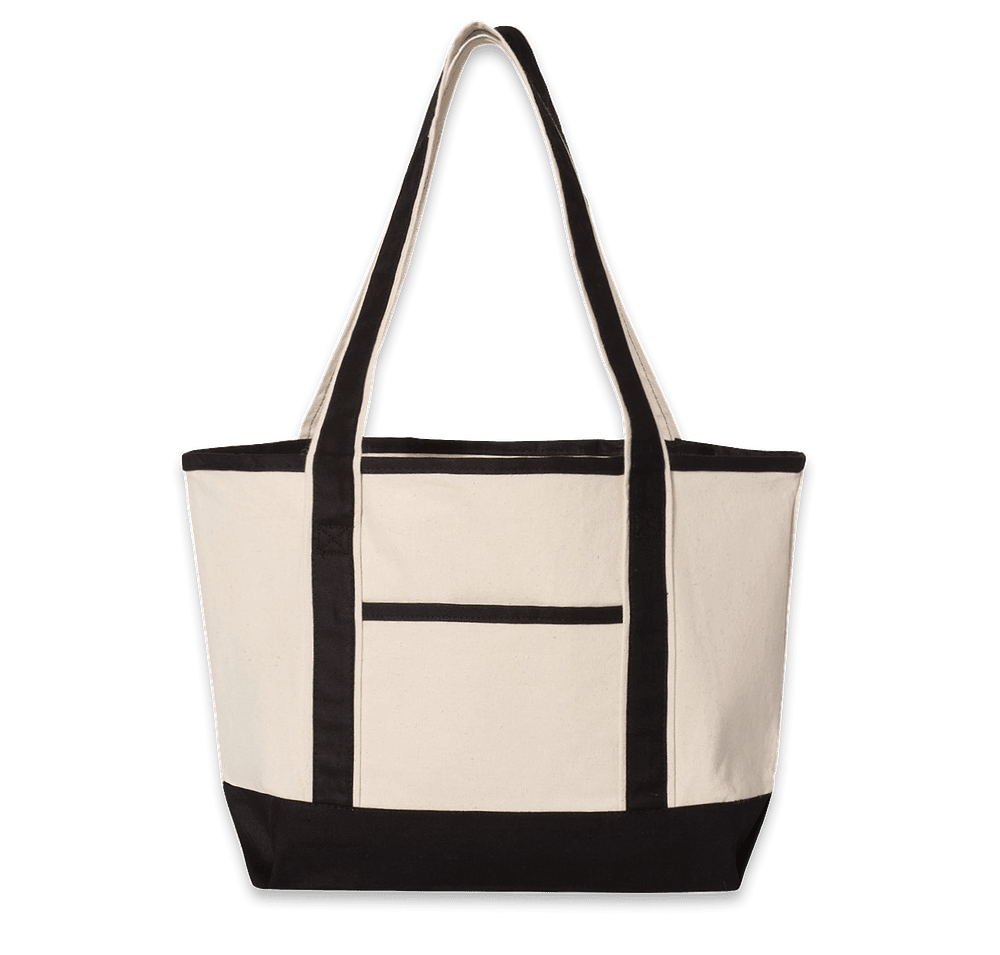
Embroidered Deluxe Cotton Canvas Tote Bag: Embroidery
- Heavy cotton canvas with zippered interior pocket and boat-tote silhouette; logo embroidered directly into the fabric using 40-weight polyester thread for unlimited wash durability
- Premium look that makes a canvas tote feel like a corporate gift rather than a giveaway; best for clean wordmarks and bold graphic logos
How to Print a Logo on a Gift Bag
“Gift bag” covers two very different products. Paper gift bags are printed with the same methods as any other paper packaging: offset lithography and digital printing for retail runs, screen printing for promotional applications, hot foil stamping and embossing for luxury finishes.
Fabric gift bags (non-woven totes, cotton gift pouches, jute gift totes) are decorated via screen printing or heat transfer just like any other fabric bag. Our tote bags include options sized and shaped specifically as gift bags, and our grocery and shopping totes make excellent reusable branded gift packaging. The advantage of a fabric gift bag over a paper one: recipients reuse it, which extends your logo’s visibility far beyond the day the gift was opened.
How to Design Your Own Bag Online
Our Design Lab handles the full process from upload to preview to order. The process has four steps.
Step 1: Choose your bag
Browse the custom bags catalog and select a product. Every product page lists the decoration method under “Decoration” in the product details, which tells you whether that bag will be screen printed, embroidered, or heat-transfer decorated before you start designing. Totes and drawstring bags are typically screen printed; backpacks and duffels are typically embroidered.
Step 2: Upload your logo or build a design
Drag and drop your logo file directly into the Design Lab. We accept PNG, JPG, AI, and EPS files up to 20MB. Vector files (AI, EPS) give the best results because they scale without pixelation; raster images (PNG, JPG) work fine at 300 DPI or higher at actual print size. If your file is below our minimum resolution, a member of our design team will recreate or adjust it for free before production.
No logo yet? Our Design Lab includes 68,000+ pieces of free clipart, hundreds of font options, and a template library organized by topic. You can also enter a design description and receive a gallery of AI-generated starter designs to customize. Everything in the library is free to use.
Step 3: Preview on the bag
The Design Lab shows your logo on the actual product in real time. You can flip between front and back views, reposition the art, resize it, and use the center button to auto-align it to the print area. For embroidered bags, the preview shows the design as stitching. The sizing tools let you verify the imprint dimensions before submitting. This is useful for checking that a horizontal wordmark fits cleanly on a zippered pocket versus a front panel.
Step 4: Get your price and order
Enter your quantity and the price calculates instantly. The price is all-inclusive with free standard shipping, no setup fees, and no screen charges. Our standard delivery arrives in about two weeks. Every order includes a free artist review: a real person checks your design for clarity, color accuracy, and print quality before anything goes to production. Our design experts are available seven days a week to help you refine a design or pick the right bag for your use case.

“CustomInk made the process quick and easy, especially when we re-ordered additional backpacks several months later!”
Our most popular bags for logo printing

Port Authority Durable Side Pocket Poly Canvas Tote: Screen Print
- 600-denier polyester canvas with easy-access side pocket; rated 4.73/5 across 627 reviews; minimum 6 units; screen printed up to 1 color
- Durable enough for daily use as a client gift or customer appreciation bag; holds shape under load better than lightweight cotton
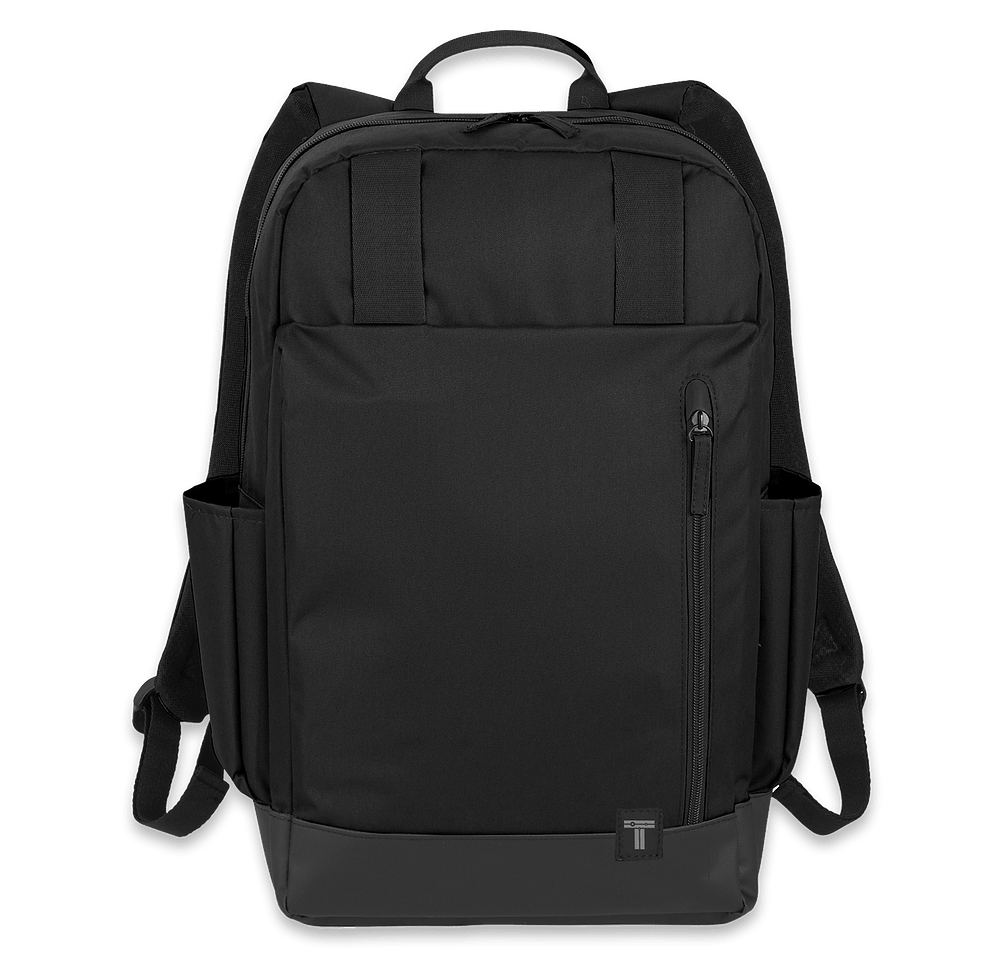
Tranzip 15″ Computer Backpack: Embroidery
- Durable tarpaulin bottom panel; spacious main compartment with dedicated 15″ laptop sleeve; embroidered logo stitched directly into the structured front panel
- Embroidery on 600D+ structured bags outlasts the product itself; no cracking, peeling, or fading regardless of how often it is used
Our promotional bags for business guide covers pricing tiers, minimum orders, and bulk strategy in depth if you’re planning a larger run.
Frequently Asked Questions
Q: What is the best method to print a logo on a tote bag?
Screen printing is the best method for most tote bag orders. It produces bold, opaque, vibrant color on cotton canvas and poly canvas at 24+ pieces, costs less per unit than alternatives at volume, and is extremely durable (50+ washes). For orders under 24 pieces or designs with photography and gradients, heat transfer (DTF) works without minimums or setup fees. For a premium look that will outlast the bag itself, embroidery is the right choice, particularly on structured canvas totes and poly canvas bags with 600-denier construction or heavier.
Q: Can you screen print on a burlap bag?
Yes, screen printing works on burlap and jute, but with limitations. The coarse weave means ink settles unevenly across the surface texture, which produces a slightly rough or organic look around logo edges. For bold, simple designs with solid fills and thick lines, that is not a problem. The results look intentionally rustic. For fine detail, small text, and tight gradients, the texture becomes a problem. Screen printing in 1–4 colors with thick lines and solid fills is the practical sweet spot for burlap. Heat transfer also works if you need sharper color reproduction.
Q: What file format should I use to upload my logo for a custom bag?
Vector files (AI/Adobe Illustrator or EPS) give the best results because they scale to any print size without losing quality. If you only have a raster file, use PNG or JPG at 300 DPI or higher at the intended print size. Files must be 20MB or under. PDF files are not currently supported in our Design Lab. If you only have a PDF logo, contact our team and we can convert it. If your file comes in below our minimum resolution, our design team will fix it at no charge before your order goes to print.
Q: What printing method is used for non-woven polypropylene bags?
Screen printing is the industry standard for non-woven polypropylene bags. The process requires specialty low-melt inks or adhesion promoters because standard plastisol cures at 350°F and non-woven PP melts above ~275°F. Full-color heat transfer is also used when the design requires more than a few colors. We handle this automatically. When you select a non-woven bag in our catalog, the decoration method shown on the product page is what we use, with all material-appropriate inks and processes already accounted for. You don’t need to specify ink type.
Q: Screen printing vs. embroidery on a bag: which should I choose?
The decision comes down to the bag material and the look you want. Screen printing is better for flat fabric bags (cotton canvas totes, non-woven bags, drawstring bags) where you want bold color, large imprint areas, and the lowest cost per unit at volume. Embroidery is better for structured bags with 600-denier polyester or heavy canvas construction (backpacks, duffels, poly canvas totes), where the bag will be used daily and you want a decoration method that genuinely outlasts the product. Our help center comparison page covers the full tradeoffs. Per our 2026 Swag Trends Survey, 53% of buyers are now very or extremely interested in premium decoration methods like embroidery, a sign that the market has shifted toward quality over cost-per-unit optimization.
Q: How do I get my logo on a bag without a minimum order?
Several bag styles in our catalog have no minimum order requirement. You can order as few as one. Browse our no minimum products and filter to bags. Heat transfer (DTF) decoration is typically what makes single-piece orders possible, since there are no screens to set up and no per-color charges. DTG printing on 100% cotton canvas totes also supports single-piece orders. Embroidery often has no minimum at shops that can digitize your logo. Once the logo is digitized (a one-time fee), reorders require no additional setup cost.

The Custom Ink Staff is a team of design enthusiasts and promo product experts dedicated to bringing your ideas to life. From screen printing secrets to the latest trends in custom gear, we draw on decades of collective experience to help you create something unforgettable.